 SimSmsBox
Short answer: To log in to Telegram, enter your phone number in international format, then the 5-digit code Telegram sends — first to the app on any device you are already signed in on, otherwise by SMS or a voice call — and then your cloud password if you have set one. There is no ordinary password for the first step; the code is the password, and it changes every time. Logins fail in 4 places: a badly formatted number, a code that goes somewhere you are not looking, a forgotten cloud password, and a rate limit from too many attempts.
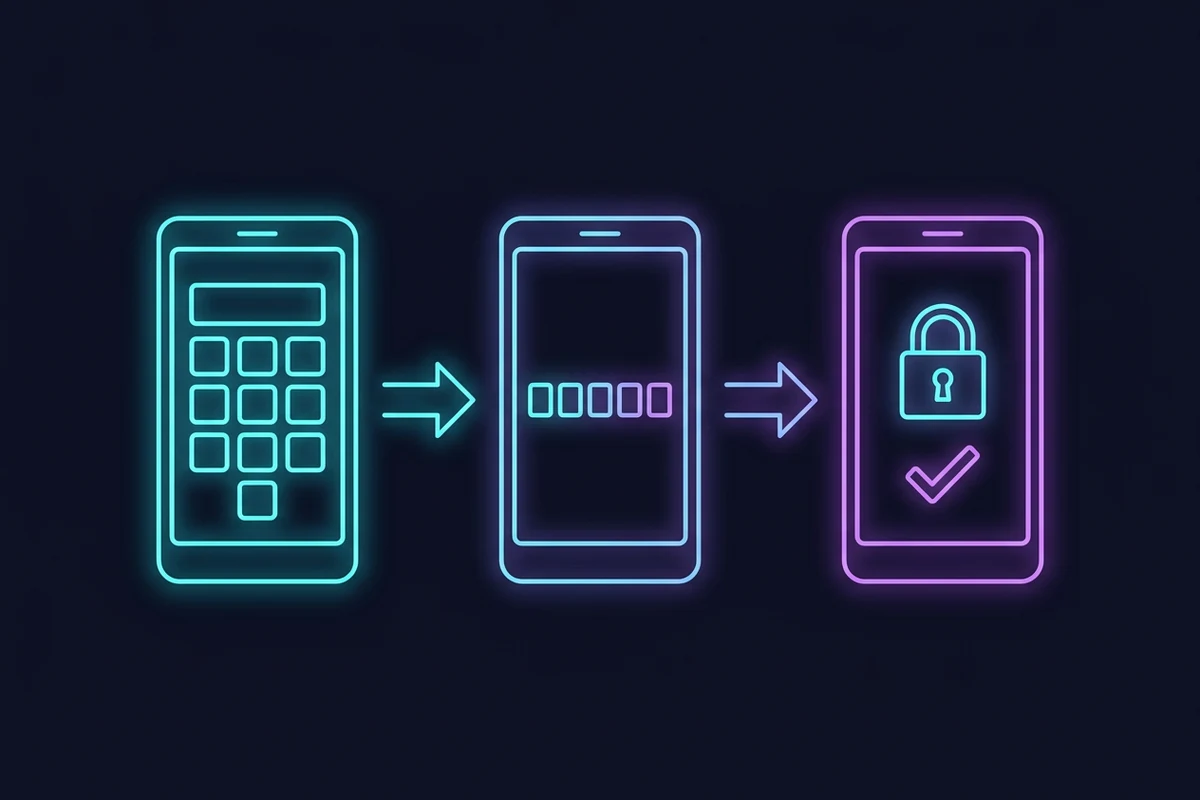
Searches like “telegram login with phone number”, “telegram login using mobile number” and “sign in telegram with phone number” are all asking the same question: what is the exact sequence, and why did mine stop halfway? Here is the whole flow, one screen at a time.
The login in order
Screen 1: your number
- Open Telegram and tap Start Messaging (or Log in).
- Choose your country. The country code fills in for you.
- Type the rest of your number.
- Confirm.
Get the format right:
- Do not retype the country code in the number field once you have chosen the country.
- Drop the leading zero. Many countries write local numbers with a 0 in front that must be removed when the country code is added.
- Read the number back. Telegram shows it on a confirmation screen; check each digit.
| Country | Written locally | Entered in Telegram |
|---|---|---|
| United Kingdom | 07700 900123 | +44 7700 900123 |
| Germany | 0151 23456789 | +49 151 23456789 |
| United States | (201) 555-0123 | +1 201 555 0123 |
A full international number is never longer than 15 digits.
How international numbers are written lists the rules. If Telegram rejects the number outright, that message has its own causes.
Screen 2: the code
Telegram then sends a 5-digit code. Where it goes depends on your situation:
| Your situation | Where the code goes |
|---|---|
| You are signed in on another device | In the Telegram app on that device, in a chat named Telegram |
| No other active device | SMS to your number |
| SMS does not arrive | A voice call after a countdown |
The part that surprises people is the first row. Because the code goes to the app first, many users sit waiting for an SMS while the code is already on their laptop. Why the code goes to another device explains the reasoning.
Enter the code. If it is correct, you are in — unless you have a cloud password.
Screen 3: the cloud password
If you turned on two-step verification, Telegram now asks for the cloud password. It is a separate, optional secret that protects your account even if someone gets your SMS. What the cloud password does covers it in full.
If you forgot it, the path depends on whether you set a recovery email — forgotten two-step password walks through both outcomes.
New account only: your name
If the number has no account yet, Telegram asks for a first name (last name optional) and a photo. That creates the account. The first ten minutes after installing covers what to set up next.
Where logins fail
1. The number
A wrong format does not give an error. Telegram sends a code to the number you typed — just not to your phone. If nothing arrives, re-check the country selection and the leading zero before anything else.
2. The code
If the code does not arrive, check in this order: other devices, number, a wait and then the voice call, carrier filtering. The full sequence is in Telegram not sending the code. If the “send code via SMS” option is missing, this guide explains why.
3. The password
Telegram does not tell you a hint exists unless you set one, and it will not tell you the password is “close”. If you cannot remember it, do not keep guessing — that runs into the rate limit. Use the recovery route instead, and see how to change the Telegram password for what each reset path costs.
4. The rate limit
Too many failed attempts — wrong code, wrong password, repeated requests — and Telegram refuses further tries for a while, usually with a message such as “Too many attempts, please try again later.” Stop, wait, and try once. What rate limiting means and how long it lasts applies directly.
Other ways to sign in
Telegram Web and Desktop. Both use the same number-and-code flow. Logging in to Telegram Web covers the browser version’s quirks.
QR code. If you are already signed in on your phone, you can sign in on a desktop or web client by scanning a QR code instead of entering a number: on the phone, go to Settings → Devices → Link Desktop Device. It skips the number and code on the new device. How QR code login works explains why that is safe.
Several accounts in one app. Under Settings → Add Account you can keep up to 3 accounts signed in at once (up to 4 with Telegram Premium), each with its own number.
Different Telegram apps. The official apps all use the same account. Telegram versus Telegram X covers the difference.
What a login really proves
Login with a phone number proves one thing: you control that number right now. Which is why the number matters more than most people think — whoever holds it, or can intercept its SMS, can start a login. That is the argument for a cloud password, and for not registering important accounts on a number you do not own for the long term. Recycled numbers shows what happens when a number moves on.
If the number on your account is no longer yours, change it while you can still sign in.
Common questions
Can I log in without a phone number? Not to a normal account — why no-number claims fail.
Do I need a SIM card? You need to receive one code at the number. Whether that is a SIM, a second device or a voice call is up to you, but the number has to be able to receive it.
Will logging in on a new device sign me out of the old one? No. Telegram supports several devices at once. You can see and end them in Settings → Devices, where If inactive for (1 week, 1 month, 3 months or 6 months) closes unused sessions automatically.
Is logging in with a phone number safe? The code protects you against password reuse, but SMS can be intercepted or filtered. A cloud password adds the second layer. Two-factor authentication explains the principle.
I am logged out and cannot receive SMS on my old number. Then your options are in contacting Telegram support and, last, resetting the account.
Wrapping up
Telegram login is 3 steps: the number, the code, and the cloud password if you set one. Each can fail on its own, and each fails for a different reason, so work out which step you are stuck on before changing anything. And whichever step it is, 1 clean attempt followed by patience beats 10 fast ones.