 SimSmsBox
 Quick answer: Two-factor authentication (2FA) adds a second key on top of your password — something you get right now, like an SMS code, an authenticator code, or a hardware key. So even if someone steals your password, they can’t get into your account without that second key.
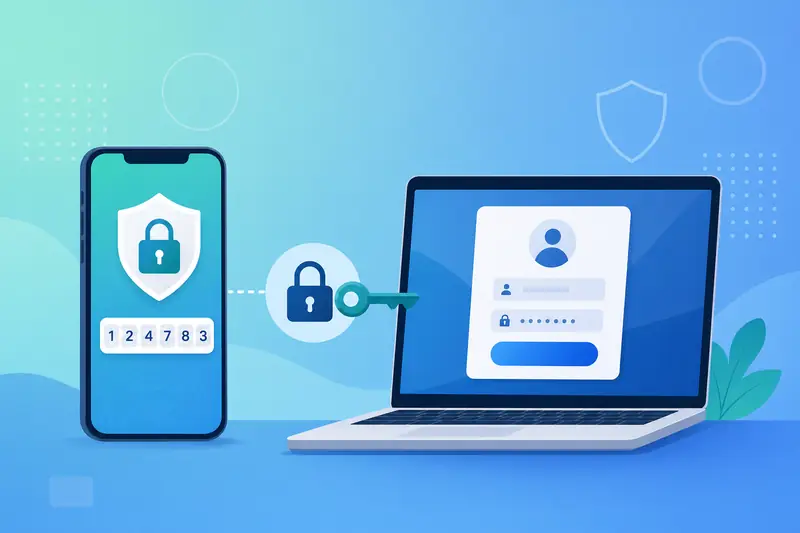
A password alone stopped being enough a long time ago. Credential stuffing, phishing, and data breaches happen every day, and guarding an account with a single string is risky. Two-factor authentication (2FA) exists to fix that: it puts a second lock on your account. This guide explains what 2FA is, how it works, the main types, and how an ordinary user should turn it on.
1. What 2FA actually is
Proof of identity generally comes in three categories:
- Something you know: password, PIN, security questions;
- Something you have: your phone, an authenticator app, a hardware key;
- Something you are: fingerprint, face, and other biometrics.
Using only a password is “single-factor.” 2FA requires two different categories at once — the most common combo being “password + a one-time code on your phone.” Because the two keys travel through different channels, an attacker rarely gets both, and security jumps sharply.
2. How 2FA works
Take the most common case — SMS 2FA:
- You enter your username and password and clear the first check;
- The server generates a one-time password (OTP) and sends it to your phone;
- You type the code back in;
- The server checks: correct and not expired → pass; otherwise reject.
Steps 2 and 3 are the point: they prove the person logging in right now actually controls that phone number. That’s why so many services ask for SMS verification at sign-up — it confirms your number and lays the groundwork for future 2FA.
3. Common 2FA methods compared
| Method | Carrier | Pros | Cons |
|---|---|---|---|
| SMS code | Text message | Low barrier, everyone can use it | Needs signal; vulnerable to SIM swap |
| Authenticator (TOTP) | Authenticator app | Local, works offline | Migrating to a new phone takes care |
| Push approval | Official app prompt | One-tap, smooth UX | Requires the app |
| Hardware key | Security key | Best anti-phishing | Costs extra, can be lost |
| Email code | Wide coverage | Falls with a compromised inbox |
For a deeper look at codes vs authenticator apps, see Real SIM vs virtual numbers and consider whether SMS or another channel fits — compared in SMS vs email verification.
4. How 2FA relates to OTP and passwords
People blur these terms, but the division of labor is clean:
- A password is the long-lived “first key”;
- An OTP (one-time code) is the “second key that’s only valid right now”;
- 2FA is the mechanism that stacks the two keys together.
In other words, an OTP is often the second factor in 2FA, but the second factor doesn’t have to be an OTP — it can also be a hardware key or biometrics.
5. How an ordinary user should enable 2FA
- Start with your most important accounts: email, bank, payments, main social — these hurt the most if stolen.
- Prefer an authenticator app or hardware key: more resistant to hijacking than SMS; keep SMS as a fallback.
- Save your recovery codes: the backup codes shown when you enable 2FA can save you when you switch or lose a phone. Store them offline.
- Be wary of anyone asking for your code: any “support agent” or “friend” telling you to forward a code is almost always a scam.
If you’re signing up for an overseas service and don’t want to expose your everyday number, pair 2FA with a disposable phone number to keep the code-receiving step clean.
FAQ
Q: Does 2FA make me completely safe? Not “completely,” but it blocks the vast majority of automated account takeovers and credential stuffing. It’s the highest-value security upgrade you can make.
Q: If I switch phones, will 2FA lock me out? Not if you migrate your authenticator and keep your recovery codes first. The danger is switching or losing a phone with no backup.
Q: Is SMS 2FA insecure — should I avoid it? SMS 2FA is weaker than an authenticator or hardware key, but something beats nothing. When no other option exists, SMS 2FA still crushes “password only.”
Takeaway
The heart of 2FA is “password + a second, real-time key.” Once you get that, you’ll see why platforms keep asking for SMS verification and which accounts to harden first. One iron rule: a code belongs to you alone — anyone who asks for it is a scammer.