 SimSmsBox
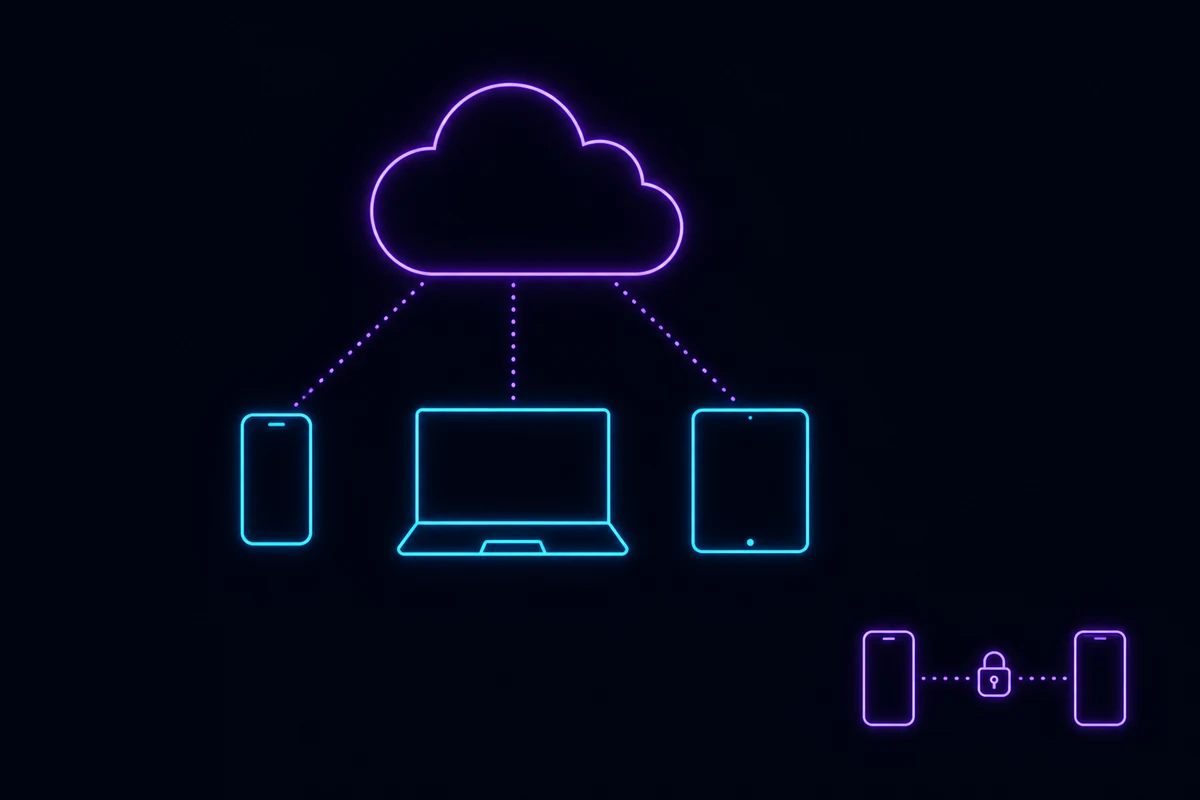
Short answer: The Telegram cloud is not a feature you turn on or a folder you open — it is where every normal chat already lives. Telegram stores your messages and files on its own servers, which is why a fresh install on a new phone shows years of history with no backup step. The part you can actually “access” is Saved Messages, your personal unlimited storage chat. The part that is not in the cloud is Secret Chats, and that distinction is the whole story.
Why “open the Telegram cloud” returns nothing
People arrive at this search from two different places, and both deserve a straight answer.
Some are looking for a storage area, like Google Drive. There is one, sort of — it is called Saved Messages and it is described below. Others typed “cloud” because they saw the phrase cloud password and assumed there is a cloud section it unlocks. There is not; that password is two-step verification under a different name, and it is covered in what is the Telegram cloud password.
The cloud itself has no entrance because you are already inside it.
Cloud chats: the default nobody chose
Every ordinary Telegram conversation — one-to-one, group, channel — is a cloud chat. The message is uploaded to Telegram’s servers, stored there, and pushed down to whichever of your devices happen to be online.
The consequences show up everywhere in daily use:
- A new device downloads your entire history. No backup file, no transfer, no iCloud or Google Drive dependency. Log in, wait a moment, everything is there.
- Deleting the app deletes nothing. This is why the fix for a forgotten app passcode is simply to reinstall.
- Your phone’s storage is a cache, not the record. Clearing it frees space and loses nothing.
- Search works across everything, including messages from before you owned the current phone, because the search runs against the server copy.
Compare that with WhatsApp, where history lives in a device backup and a botched restore genuinely loses it. Telegram made the opposite trade, and the price is in the next section.
What Telegram can and cannot read
Here is the part that gets skated over in most explanations.
| Cloud chats | Secret Chats | |
|---|---|---|
| Encrypted in transit | Yes | Yes |
| Encrypted at rest on the server | Yes, with keys Telegram holds | Not stored on the server at all |
| End-to-end encrypted | No | Yes |
| Visible on all your devices | Yes | No — one device pair only |
| Survives a reinstall | Yes | No, permanently gone |
| Forwarding, screenshots | Allowed | Restricted, with screenshot alerts on some platforms |
| Self-destruct timer | Optional in some chats | Built in |
Cloud chats are not end-to-end encrypted. Telegram encrypts them and states that keys and data are split across jurisdictions so that no single request can produce both, but the architectural fact remains: the server can decrypt a cloud chat, and end-to-end encryption means it cannot. If your threat model needs the second guarantee, Secret Chats are the only thing on Telegram that provides it — and they are device-local, manually started, and absent from Telegram Desktop’s main client.
Most people do not need E2EE for a group chat about football. It is worth knowing which one you are in, though, especially before assuming “encrypted messenger” covers everything.
Saved Messages: the storage you were looking for
This is the closest thing to a personal cloud drive, and it is genuinely good.
Open the side menu and tap Saved Messages. It behaves like a chat with yourself. Anything you send there is stored on Telegram’s servers and reachable from every device you sign into.
What makes it more useful than it sounds:
- No total size limit. Individual files cap at 2 GB on a free account and 4 GB with Premium, but the number of files is unbounded.
- Any file type. Documents, archives, APKs, video, audio — Telegram does not re-encode files sent as documents, so a photo sent that way keeps its original quality.
- Forward anything into it. Long-press a message in any chat, Forward, choose Saved Messages. It keeps the original attribution.
- Full-text search across everything you have parked there.
- Pin and organise with pinned messages and, on newer clients, folders and tags.
Practical uses: moving files between a phone and a laptop with no cable, keeping a scratchpad that syncs, archiving a receipt or a boarding pass, or stashing the export of a Secret Chat before you wipe a device.
Where the data physically sits
Telegram assigns your account to a data centre based on where you registered, and your cloud data lives there. That assignment does not follow you around when you travel; it follows the account.
Two practical notes fall out of this. First, moving country does not migrate your data. Second, and more relevant to sign-ups, the country of your phone number and the network you connect from are separate signals, and Telegram weighs both when deciding how suspicious a login looks. That is a recurring cause of failed registrations, and the delivery side of it is covered in Telegram not receiving the code.
The cloud is why the phone number matters so much
Because there is no local vault, your account is the only key to your data, and your phone number is the only key to your account.
That has a consequence people discover too late: lose control of the number and you cannot prove the account is yours. Telegram will happily let whoever now holds that number receive a login code. If two-step verification is off, that is the whole authentication process.
This is not hypothetical. Carriers recycle numbers routinely, as covered in recycled phone numbers and security, and numbers rented from a pool go back into circulation by design. If you registered with anything other than a SIM you personally keep paying for, treat the cloud password as mandatory rather than optional. The reasoning is spelled out in renting a foreign phone number.
Getting your data out
Two exits exist, and they do different jobs.
Telegram Desktop → Settings → Advanced → Export Telegram Data. Choose chats, media types and a format (HTML for reading, JSON for processing). Large accounts take a while and Telegram rate-limits the first export request with a waiting period, which is a security measure rather than a fault.
Delete Account at my.telegram.org/auth removes the account and its cloud data. It is irreversible and it is not a way to reclaim storage — there is no storage to reclaim. The full procedure, including the version for accounts you cannot log into, is in how to reset or delete a Telegram account.
Wrapping up
Telegram’s cloud is not a place you visit; it is the default location of everything you send. That is why a new phone needs no backup, why clearing cache is safe, and why a forgotten app lock costs you nothing but Secret Chats. The trade is that ordinary chats are readable by the server, and the account guarding them rests on a phone number. Use Saved Messages as the personal drive it effectively is, keep Secret Chats for the conversations that genuinely need end-to-end encryption, and put a cloud password on the front of all of it — starting at what is the Telegram cloud password.