 SimSmsBox
 Quick answer: Silent Network Authentication (SNA) verifies that a phone really controls a given number without ever sending a code. The app asks your carrier, over the mobile data connection, to confirm the SIM tied to that number — the check happens silently in the background, with no SMS to type. It’s faster and harder to phish than an OTP, but it needs a live cellular data connection and only proves control of a SIM, so many services keep SMS OTP as the fallback.
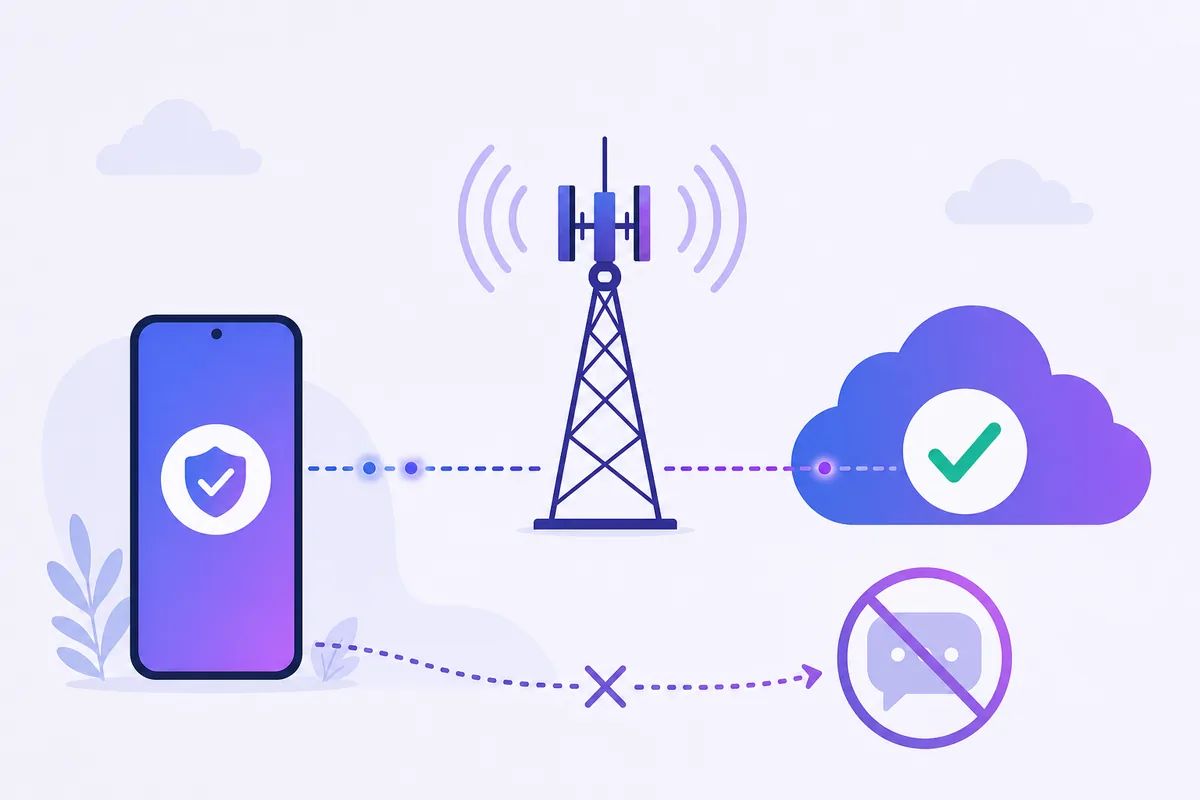
Every so often an app confirms your phone number and you never get a text at all — no code, no tapping, just a brief “verifying…” and you’re in. Often that’s Silent Network Authentication working in the background. It’s a genuinely different model from the code-based verification most people know, so here’s how it works and where it quietly falls short.
1. How SNA verifies without a code
A normal SMS OTP sends a secret to your number and asks you to type it back. SNA skips the secret entirely. Instead:
- The app opens a request to a verification provider over cellular data, not Wi-Fi.
- That request is routed through your mobile carrier, which already knows which SIM is on the connection.
- The carrier confirms — or denies — that the SIM matches the number being verified.
- The app gets a yes/no back, silently, with nothing for you to enter.
Because the answer comes straight from the carrier’s own record of your active SIM, there’s no code in transit to intercept, mistype, or phish.
2. SNA vs SMS OTP at a glance
| Factor | Silent Network Auth | SMS OTP |
|---|---|---|
| What you do | Nothing — it’s automatic | Read and type a code |
| Connection needed | Cellular data (not Wi-Fi) | Any way to receive the text |
| Phishing risk | Very low (no code to hand over) | Real — see OTP bot scams |
| What it proves | The SIM is present on this device | A code reached this number |
| Works on an online number | No | Yes |
3. Why services like it (and why it’s not everywhere)
The appeal is friction and fraud. There’s no code to wait for, no message that can fail to deliver, and nothing for an OTP bot to trick out of you. For a smooth signup, that’s a big win.
The catches are real, though. SNA needs an active mobile-data connection from the same carrier line — on Wi-Fi with data off, it simply can’t run. Carrier and country coverage is uneven. And it only confirms that a SIM is present, which is why it’s usually paired with, not a replacement for, other checks. That’s why you’ll still see “we’ll text you a code instead” when SNA can’t complete.
4. What this means if you receive codes online
This is the important part if you rely on online numbers. SNA works by talking to the carrier of a physical SIM sitting in a device. An online number that only shows you incoming SMS in a web panel has no SIM on a data connection to authenticate, so an SNA-only flow can’t be completed that way.
The good news: SNA is almost always an optimization layered on top of SMS, not a hard requirement. When a service can’t silently verify, it falls back to texting a code — and that code is exactly what makes receiving verification online without a SIM viable. When you can choose, the SMS path is the one an online number can finish.
FAQ
Q: Why did an app verify my number without any text? Likely SNA — it confirmed your SIM with the carrier over mobile data in the background, so no code was needed.
Q: Why does it fail on Wi-Fi? SNA rides the cellular data path so the carrier can identify the SIM. With mobile data off, there’s no carrier connection to check, and it falls back to SMS.
Q: Is SNA more secure than SMS? Against phishing, yes — there’s no code to steal. But it still ties identity to controlling a SIM, so it shares risks with any SIM-based method.
Takeaway
Silent Network Authentication proves you hold a SIM by asking the carrier directly, no code required — smooth and phishing-resistant, but tied to a live cellular line. Because it needs a physical SIM on mobile data, it can’t run on a receive-online number; the SMS fallback it falls back to is what keeps online verification possible.